
Math and statistics calculators can play an important role in everyday life, both in education, planning and analysing data. Understanding how statistics work can help you make decisions with more confidence. However, doing calculations can take a long time, especially when working with large data sets, complicated formulas and multiple deadlines.
Using maths and statistics calculators can speed up the process. Whether you’re a student, business owner or professional – using the maths and stats calculators from CostCalco can help you make calculations easier.
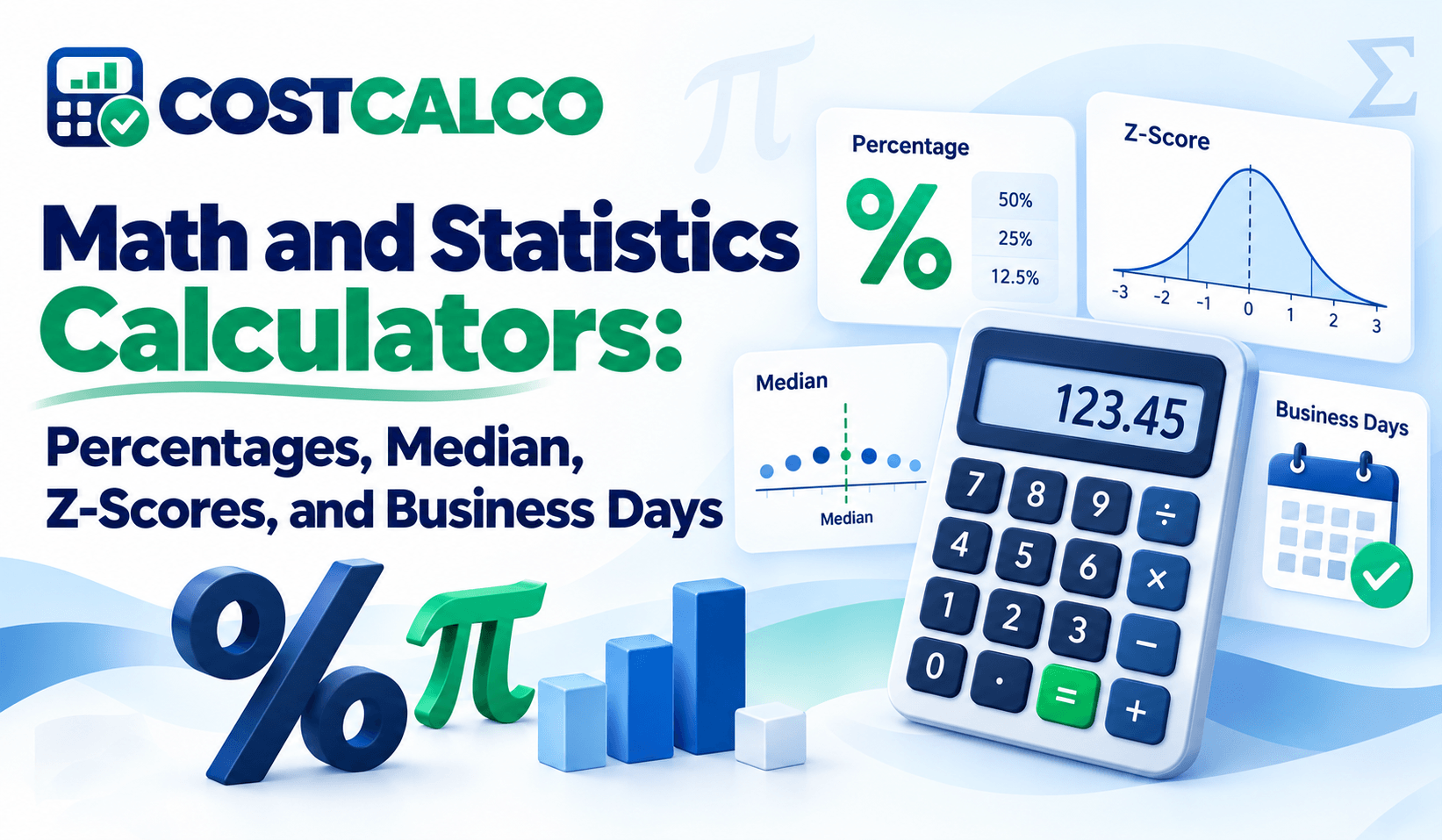
Below are 4 key calculators that can help you. We’ll cover percentage calculators, median calculators, Z-scoring calculators and business days calculators. We’ll also show you how they work and when to use them to help you make accurate decisions.
Why Use Math and Statistics Calculators?
Maths calculations are used across many industries such as education, finance, marketing, research, logistics and project management. Getting any calculations wrong can cause issues with your budget, skew your statistics or get your deadlines wrong.
Using online calculators can help you:
Save time – Calculations can be done in seconds.
Be more accurate – Reduces any errors made with manually calculating.
Easier formula – No need to remember complicated formulas.
Better decisions – Understand numerical data.
Increase productivity – Less time spent calculating.
CostCalco offers easy to use online calculators to help you with your maths and business calculations.
1. Percentage Calculator
Percentages help you understand what proportion of 100 a value is. They can be used to help calculate discounts, taxes, margin, exam marks, business growth and marketing performance.
Percentage Calculators can help you work out percentages, compare values and see how much something has changed.
Common Percentage Calculations
What Percentage of X is?
Percentage = (Percentage/100) x Total
For example:
15% of ₹2,000.
(15/100) x ₹2,000 = ₹300
15% of ₹2,000 is ₹300.
Percentage Increase
Percentage Increase = ((New Value – Original Value)/Original Value) x 100
Say your sales increase from ₹50,000 to ₹65,000 each month.
You’ve had an increase of ₹15,000 (30%).
Percentage Decrease
Percentage Decrease = ((Original Value – New Value)/Original Value) x 100
If the price of a product drops from ₹1,500 to ₹1,200 you have a 20% decrease.
When to Use a Percentage Calculator?
Percentage calculators can help you:
Work out discounts and sales tax.
See how much your revenue is increasing each month.
Work out exam marks and attendance.
Compare your advertising performance.
Work out price increases or decreases.
Understand your margin and costs.
For example, an online seller can use a percentage calculator to understand how much their sales have increased each month.
Remember, if the original value is zero then the standard percentage change calculation will not work.
2. Median Calculator
The median is a statistical measure where you can identify the middle value. It doesn’t use the total like the mean does.
A median calculator can help you analyse data sets with extreme values.
How to Work Out the Median
First order your numbers in ascending order.
Odd Numbers
The median will be the middle number.
For example:
12, 18, 25, 31, 40
The median = 25.
Even Numbers
The median will be the average of the two middle numbers.
For example:
10, 20, 30, 40
Median = (20 + 30)/2 = 25
The median = 25.
A median calculator will automatically sort your numbers or calculate the median.
Difference Between Median and Mean?
The mean is calculated by adding all the observations together and dividing by how many there are. The median is the middle number once sorted.
Say you have the following earnings each month:
₹20,000, ₹22,000, ₹25,000, ₹28,000, ₹1,50,000.
Mean = ₹49,000.
Median = ₹25,000.
The last value is very high which has caused the mean to increase dramatically. However, the median gives you a true reflection of the middle value.
When to Use a Median Calculator?
A median calculator can help you:
Compare salaries and household income.
Analyse property prices.
Look at customer spending.
Understand exam results.
Summarise survey results.
Identify typical delivery times.
As a business, using the median can give you a truer reflection of how much your customers typically spend or how long it takes to deliver a service. This is because extreme values can affect the average.
However, the median doesn’t tell you everything about your data set. Using it alongside the mean, range or other stats can give you a better insight.
3. Z-Score Calculator
A Z-score tells you how many standard deviations away from the mean a piece of data is.
It is commonly used in statistics, research, quality control, education and data analysis.
A Z-score calculator can help you calculate and understand if something is below or above average.
How to Work Out the Z-Score
The standard formula is:
Z = (X – μ)/σ
Where,
X = Data value
μ = Mean of population
σ = Standard deviation of population.
Say a student scores 85 in an exam. The mean of the class is 70 and the standard deviation of the population is 10.
Z = (85 – 70)/10 = 1.5
The student’s score is 1.5 standard deviations above the mean.
A negative Z-score means that the value is below average whereas a positive Z-score means it is above average. If the Z-score is 0 then it’s equal to the mean.
Why are Z-Scores Useful?
They can help you:
Compare scores from different distributions.
Identify extreme values.
Analyse your research data.
Quality control in manufacturing.
Standardise your data.
Statistical hypothesis.
For example, a researcher can understand how their observation compares to the average.
Important Things to Note
The standard Z-score formula uses the standard deviation of the population. However, if you are looking at a sample, analysts may use the sample mean and standard deviation.
A Z-score doesn’t necessarily mean that your results are statistically significant or that you have an error. It will depend on the distribution of your data, sample size and what you’re analysing.
If your data is normally distributed then Z-scores can help you estimate how many observations are below or above a certain value.
4. Business Days Calculator
Business days are working days. They can be used to help you plan your projects, orders, delivery estimates and admin deadlines.
In most countries business days will not include weekends. However, they may not include public holidays. Different countries, industries and organisations will have different working days.
A business days calculator can help you work out what date it will be in the future or past by adding/subtracting a certain number of working days.
How Does a Business Days Calculator Work?
Say you need to complete a project in 5 business days and you start on a Monday. Assuming there are no public holidays, the 5th working day will be next Monday. As you don’t count the Monday you started on.
A business days calculator can help you automate this process and avoid any confusion.
Depending on the calculator you can input:
Start date.
Number of working days to add/remove.
Weekend pattern.
Public Holidays.
Make sure to check if the calculator includes your start date as day 1 and if it includes public holidays.
Common Uses of a Business Days Calculator
A business days calculator can help you:
Work out delivery times for shipping and couriers.
Work out how long it will take to process orders.
Plan milestone dates for your projects.
Manage payment terms for invoices.
Plan response times for customer support.
Track processing times for applications/documents.
For example, if you promise to dispatch within 3 working days you can use a calculator to help you estimate a more consistent processing time.
Remember that different countries will have different weekends and public holidays. If you’re operating internationally then the calculation may not match what the country is expecting.
Which Calculator to Use?
It depends on what you’re trying to find out.
Goal
Calculator
20% of price?
Percentage Calculator
Sales Growth?
Percentage Calculator
Middle value of data set?
Median Calculator
Compare Score to Average?
Z-Score Calculator
Working days deadline?
Business Days Calculator
Before inputting your values make sure you know what units you’re using, what data you’re putting in and what the result means. If you’re using a stats calculator make sure you’re using the right mean and standard deviation. If you’re using a business date calculator make sure you’re using the correct weekend and holiday settings.
How CostCalco Can Help With Everyday Calculations
CostCalco aims to help students, professionals, entrepreneurs and everyday users with practical calculations. Using online calculators can help you with everyday maths problems, analysing numerical data and planning your work schedule.
Rather than wasting valuable time calculating percentages, organising data sets, standardising observations and working out working days – you can use the right calculators to get your results quicker.
However, we’d recommend using calculators as a tool to help you make decisions. Check any unusual results, important calculations and refer to the relevant rules if you’re dealing with financial commitments, research or official deadlines.
Conclusion – Math and Statistics Calculators
Maths and stats calculators can help you with numerical calculations by reducing manual work and ensuring you’re using the correct formulas. Percentage calculators can help you work out proportions and changes. Median calculators will help you find the middle value of your data set. Z-score calculators will help you understand how your observations compare to the mean and business days calculators will help you plan your deadlines.
Whether you’re a student working on stats, a business owner or professional – these calculators can help you become more efficient and make more informed decisions.
Check out CostCalco to help you with your everyday calculations.
FAQs – Math and Statistics Calculators
1. What are Math and Statistics Calculators?
Maths and stats calculators are online tools that can perform mathematical calculations and statistical analysis. They can help you calculate percentages, identify medians, calculate Z-scores and more.
2. How does a percentage calculator work?
A percentage calculator uses mathematical formulas to calculate what proportion of a number something is or the percentage change between two values. They can help you with discounts, taxes, sales growth and comparing performance.
3. How do I calculate a percentage increase?
Subtract the original value from the new value. Divide this by the original value and multiply by 100. For example if a value goes from 100 to 125, you have a 25% increase.
4. What is a median calculator?
A median calculator helps you identify the middle value in an ordered data set. They can help you analyse salaries, property prices, exam results and more with extreme values.
5. What is the difference between the median and average?
The median is the middle value in an ordered data set. The mean is the total of all values divided by how many observations there are. The median is generally less affected by extreme values.
6. What is a Z-score calculator?
A Z-score calculator helps you work out how many standard deviations a value is above or below the mean. They’re commonly used in statistical analysis, research, quality control and education.
7. Can Z-scores be negative?
Yes. Negative Z-scores mean that a value is below the mean. Positive Z-scores mean that a value is above the mean. If it’s 0 then it’s equal to the mean.
8. What is a business days calculator?
A business days calculator helps you estimate a date by adding or subtracting working days. Depending on the settings it may take into account weekends and specific public holidays.
9. Do business days calculators include public holidays?
Not always. Some calculators will include public holidays whereas others will just exclude weekends. Make sure to check the settings and what public holidays are included.
10. Are online maths and stats calculators accurate?
As long as the formulas have been applied correctly and the inputs are correct, they can give you accurate results. Make sure to double check any important results, understand what assumptions have been made and check the relevant settings.